Townhouse System
In addition to the Traditional Housing system of Ultima Online, Paths of Virtue makes use of Knives' Town Houses script. This system involves the ability to purchase and decorate various static houses and buildings in and around Britannia's towns and cities. A number of static houses have been added to the map.
Eligibility for House Ownership
Town Membership
A character gains citizenship in a town by purchasing a house in that town. In order to do so, they must belong to the town's Faction. Upon selling back (demolishing) the house, or if it decays, the character loses citizenship, and any locked down or secure items in the house are placed in the character's bank box, as is a check for the value of the house. Any addon become deeds, which remain in the house, and eventually decay.
Murder Count
In order to purchase a house a character must not have any murder counts. Characters do not lose their house or town membership for murders counts accumulated after the purchase. It is worth noting here that killing a blue NPC will result in a murder count.
Houses
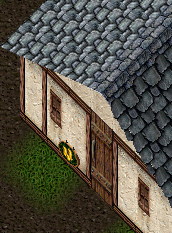
Single clicking a for sale sign (looks like a Bank sign) will reveal the town the house is part of, as well as the cost and number of possible secure containers. Most houses are prefurnished, though this is only for display. Once the house has been purchased, this display furniture disappears, and the house will be empty. Upon demolishing the house the this display furniture will reappear. Only one house per account is allowed, and only one account is allowed. Any items in a house not locked down or secured will decay.
Purchasing a House
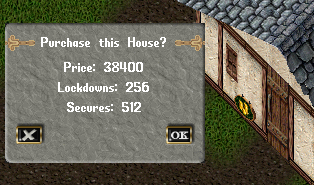
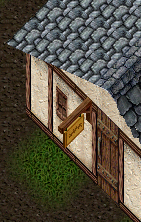
In order to purchase a house, double click on the sign depicting stacks of gold coins (not to be confused with the signs designating banks which us the same graphic). You must be within two tiles of the sign. This will open a confirmation menu with the price of the house, as well as the number of lockdowns and secures for that property. If the character belongs to that town's Faction and has the required amount of gold either on her person or in her bank account, then clicking "OK" will result in the character purchasing the house. A proper house sign will replace the sign with gold coins.
House Sign
Double clicking on the house sign offers the house owner a menu with the following options:
Info
Opens a new menu containing information about the house, including number and maximum locked down and secure containers.
Friends
Opens a new menu which allows the owner to:
- View a lost of Co-Owners or Friends of the house
- Add a Co-Owner or Friend
- Remove a Co-Owner or Friend
- Clear the Co_Owner or Friend list
- Ban someone from the house
- Eject someone from the house
- View the Ban list
- Lift a Ban
- Note: All characters on an account share the house, and are considered co-owners.
Options
Opens a new menu which allows the owner to:
- Transfer ownership of the house
- Allows the player to transfer house ownership to another player.
- Demolish the house
This option deposits a gold deed worth the cost of the house into the player's bank box. Any secured items in the house, and their contents, will be placed in a bag in the player's bank box titled "Town House Belongings."
- Change the house locks
- Changes the locks on the house's door and deposits a new set of keys in the players backpack.
- Declare the building to be public. This will make your front door unlockable.
Declaring the house to be public allows player vendors to be placed in the house via a "contract of employment" deed. It also brings up a new menu option under 'Options' that allows the house sign to be changed and offers a number of sign options from which to choose. Another option appears under 'Options' that allows the house to be reset to Private.
Change the house's name!
Allows the owner to change the name displayed on the house sign.
House Commands
(For a full list of House and other Commands see Commands at Stratics).
| “I ban thee” | Friends, co-owners and owners of a house can issue this command. It will bring up a targeting cursor to ban and eject someone. Friends and owners cannot be banned. By doing this, the person banned will be added to the banned list that is accessible from the house sign menu. There is a limit of 50 banned people per house. |
|---|---|
| “Remove thyself” | Friends, co-owners and owners of a house can issue this command. It will bring up a targeting cursor to eject; someone. Friends and owners cannot be ejected. The targeted individual will be sent outside the house, 3 or more tiles from the door. |
| “I wish to lock this down” | Locks an item down in your house. Only the owner and co-owners can issue this command. |
| “I wish to release this” | Removes lockdown and secure status on an item. Only the owner and co-owners can issue this command. |
| “I wish to secure this” | Locks down a container in your house and makes it secure. Only the owner and co-owners can issue this command. |
| “I wish to unsecure this” | Renders a secure container secure. |
| “I wish to place a trash barrel” | Places a trash barrel inside a house, at the position where you are standing. Only the owner or co-owner; can issue this command. Owners, co-owners and friends can put trash in the barrel. After 3 minutes the trash will be deleted. |
Interior Decorator
The interior Decorator tool is used to change the altitude of locked down and secured items in a house, effectively raising them up and down. This is useful for decorating the house. The Interior Decorator tool can be purchased from an Architect.
From the Paths of Virtue wiki by Archaaz.
Thanks! That helps us keep this page right.
Comments 0
Comments may be moderated by the team before they are shown.
Sign in to add a comment.
Thanks! Your comment shows here once the team has read it.