Ships
Player Owned Ship
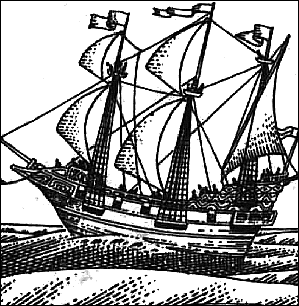
As in the original Ultima Online, players may purchase various boat deeds from Shipwright vendors. Double clicking the deed allows the boat to be placed in a body of water.
Ship Types
- Boats
- Small
- Medium
- Large
- Dragon Boats
- Small
- Medium
- Large
Tillerman
Paths of Virtue uses a Tillerman gump to facilitate ship movement. Thanks to DjeryV and Evany for scripting this.
If the owner double clicks the Tillerman while on land, it will bring up the dry dock menu. If you decide to dry dock the ship, it will disappear and a miniature ship will be placed in your pack. double clicking this miniature ship and targeting a body of water will recreate your ship at that destination.
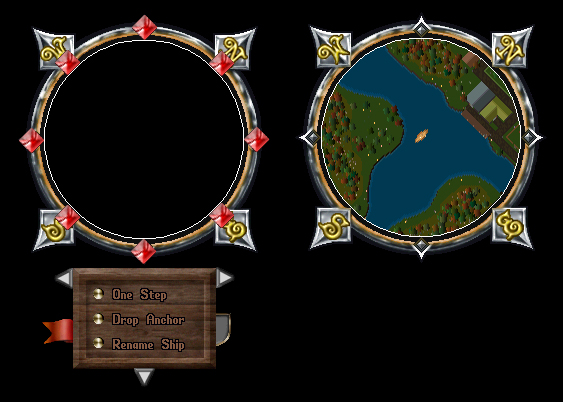
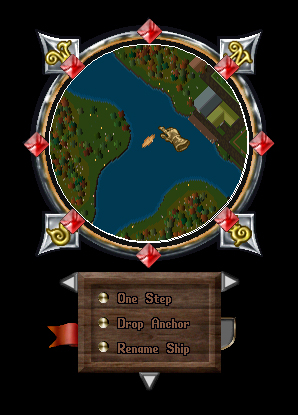
If the owner of the ship double clicks the Tillerman while on board the vessel, it will bring up a menu that facilitates ship travel (see examples below). This will likewise start a rather rousing, looped sea traveling song.
- Key:
- Red Diamonds: Clicking on these causes the ship to move in the direction corresponding to that diamond.
- Gray Arrows: Changes the facing of the ship.
- One Step/Full Speed: This toggles the ship between One Step and Full Speed.
- Drop Anchor: Drops/Raises the anchor.
- Rename Ship: Allows you to rename your ship.
- This menu can be placed over the radar map:
Merchant and Pirate Ships
In addition to player owned ship, instant travel to various regions is possible aboard merchant and pirate ships found in the dock area in certain towns. This is based on keywords associated with the destination. These keywords can be found by clicking on signs near the ship.
From the Paths of Virtue wiki by Archaaz.
Thanks! That helps us keep this page right.
Comments 0
Comments may be moderated by the team before they are shown.
Sign in to add a comment.
Thanks! Your comment shows here once the team has read it.