Character Portraits
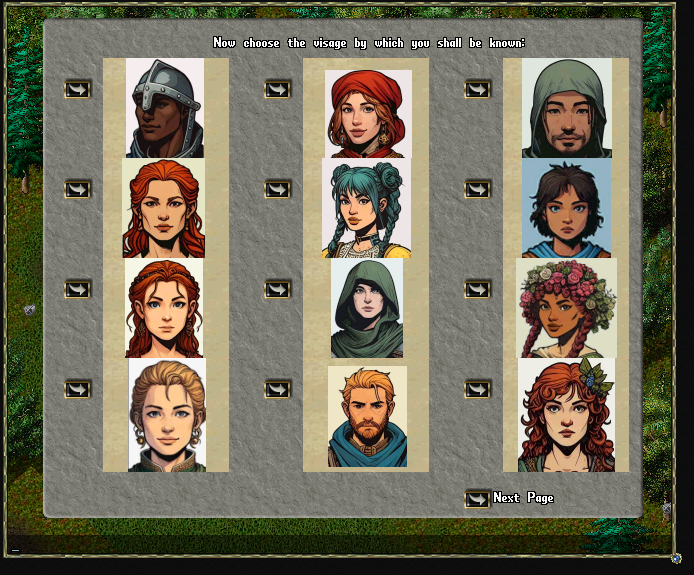
Paths of Virtue features a unqiue character portrait system, consisting of over 400 diverse portraits from which to choose. The process has been including in the custom character creation system. There are separate portraits for human and orc characters.
Prexisting characters will be given a chance to change their portrait when they first double click the Portrait scroll on their paperdoll.
Players can later change their portrait using a "Change Character Portrait Deed" purchased from a Hairstylist vendor. There are hairstylists in both the Britain and Nujel'm barber shops.
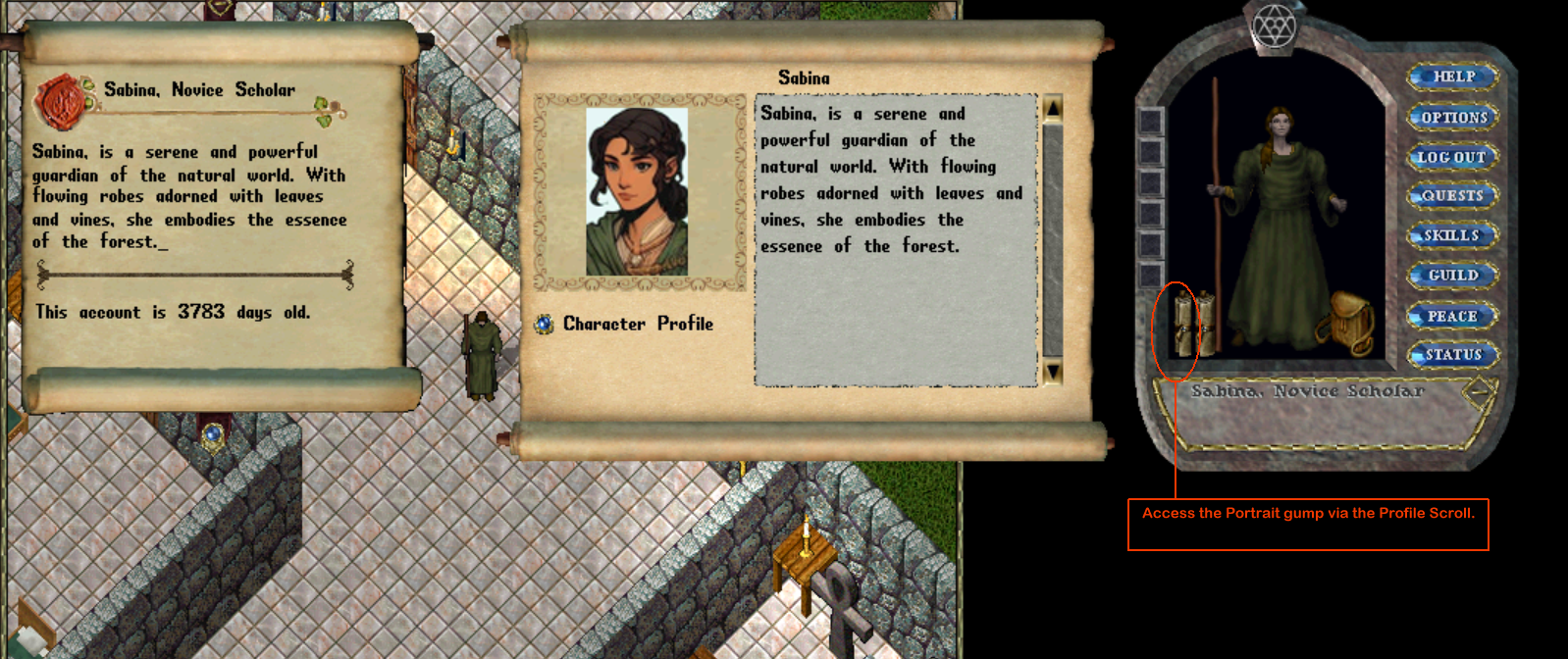
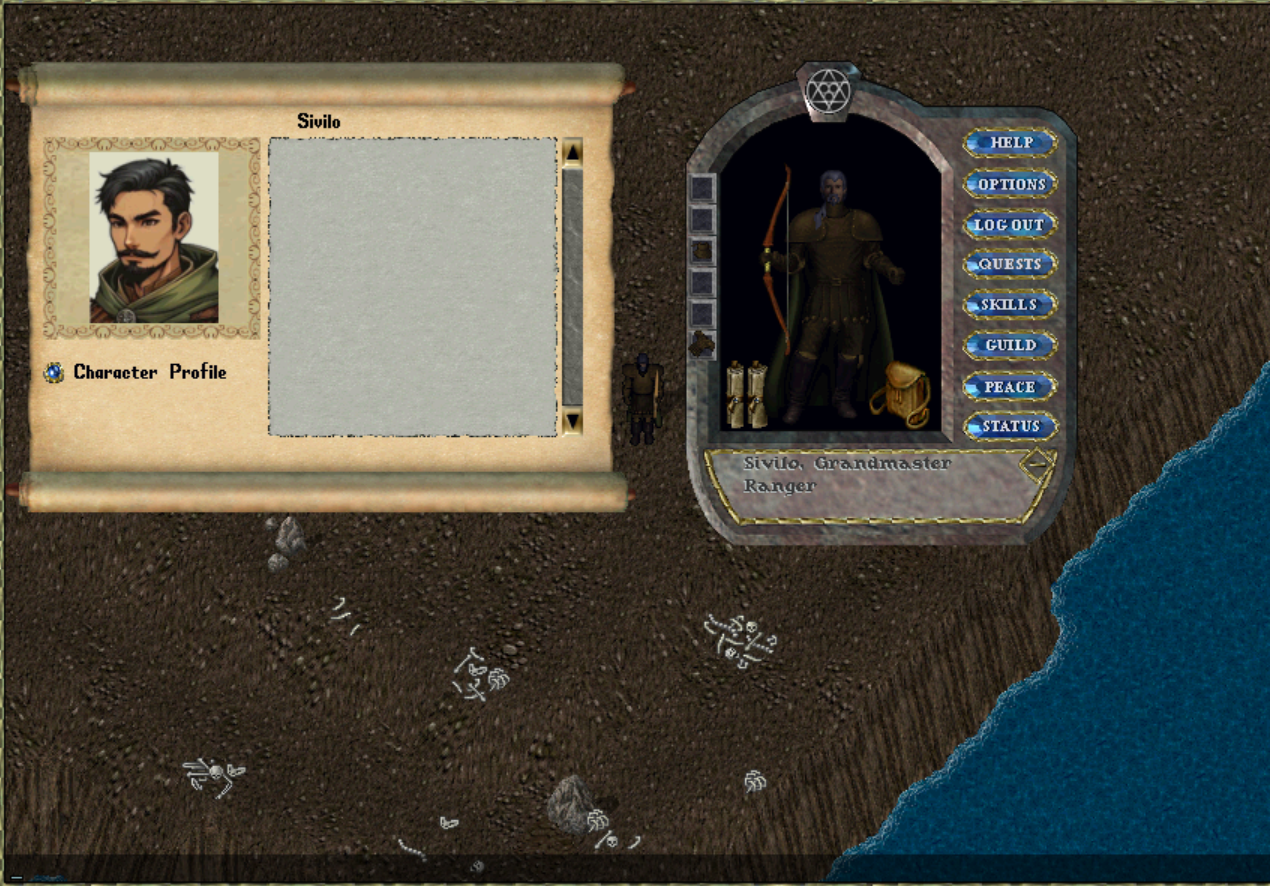
In order to view yours or another character's portrait and profile, you can either click on the scroll in the character's Paperdoll, or use the [Look command and target the character you wish to view. If it is your own character, you will also access the original Profile gump which will allow you to set or change your character's description.
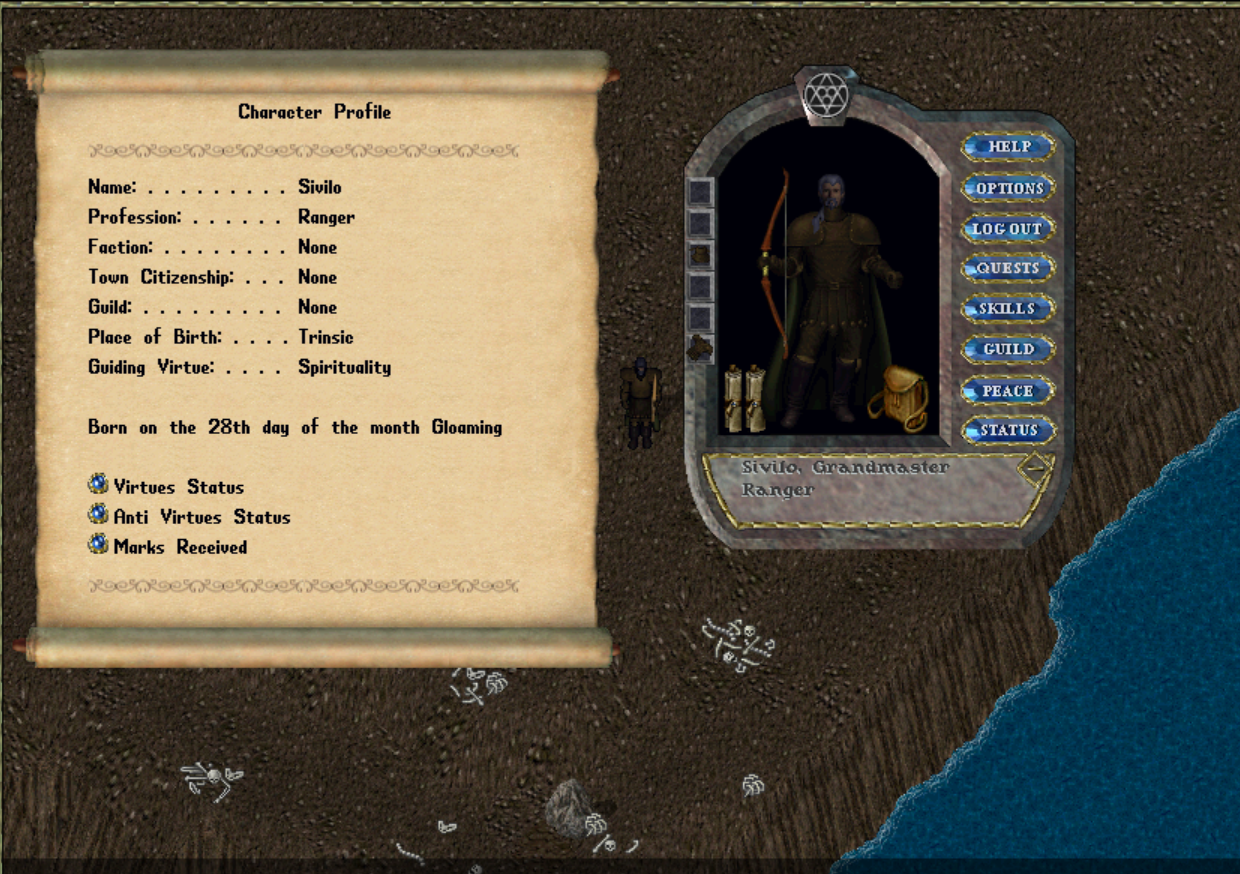
You can likewise access your character's Roleplaying Profile from the Potrait gump.
From the Paths of Virtue wiki by Archaaz.
Thanks! That helps us keep this page right.
Comments 0
Comments may be moderated by the team before they are shown.
Sign in to add a comment.
Thanks! Your comment shows here once the team has read it.